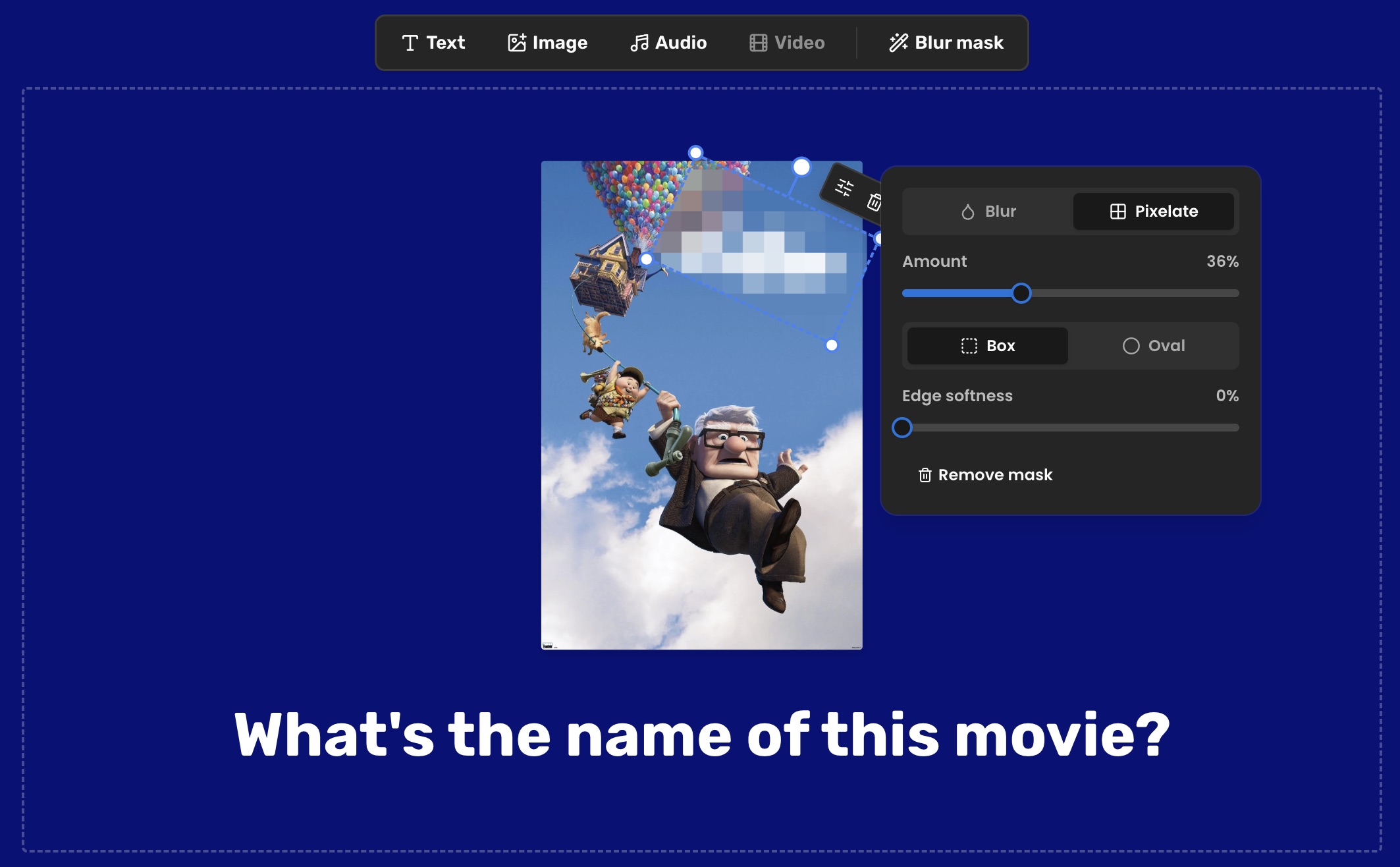
A blurred image quiz is the easiest round to play and, until now, the most annoying one to build. Most photos answer themselves: the film's title is on the poster, the name is under the photo, the score is in the corner. Getting rid of that meant a photo editor, an export and an upload.
PardyTime does it for you now. Drop a blur mask on the picture, drag it over the giveaway, and the answer is hidden.
How to blur part of an image in a quiz question
- Add your image to the clue.
- Hit Blur mask and drag the box over the part that gives it away.
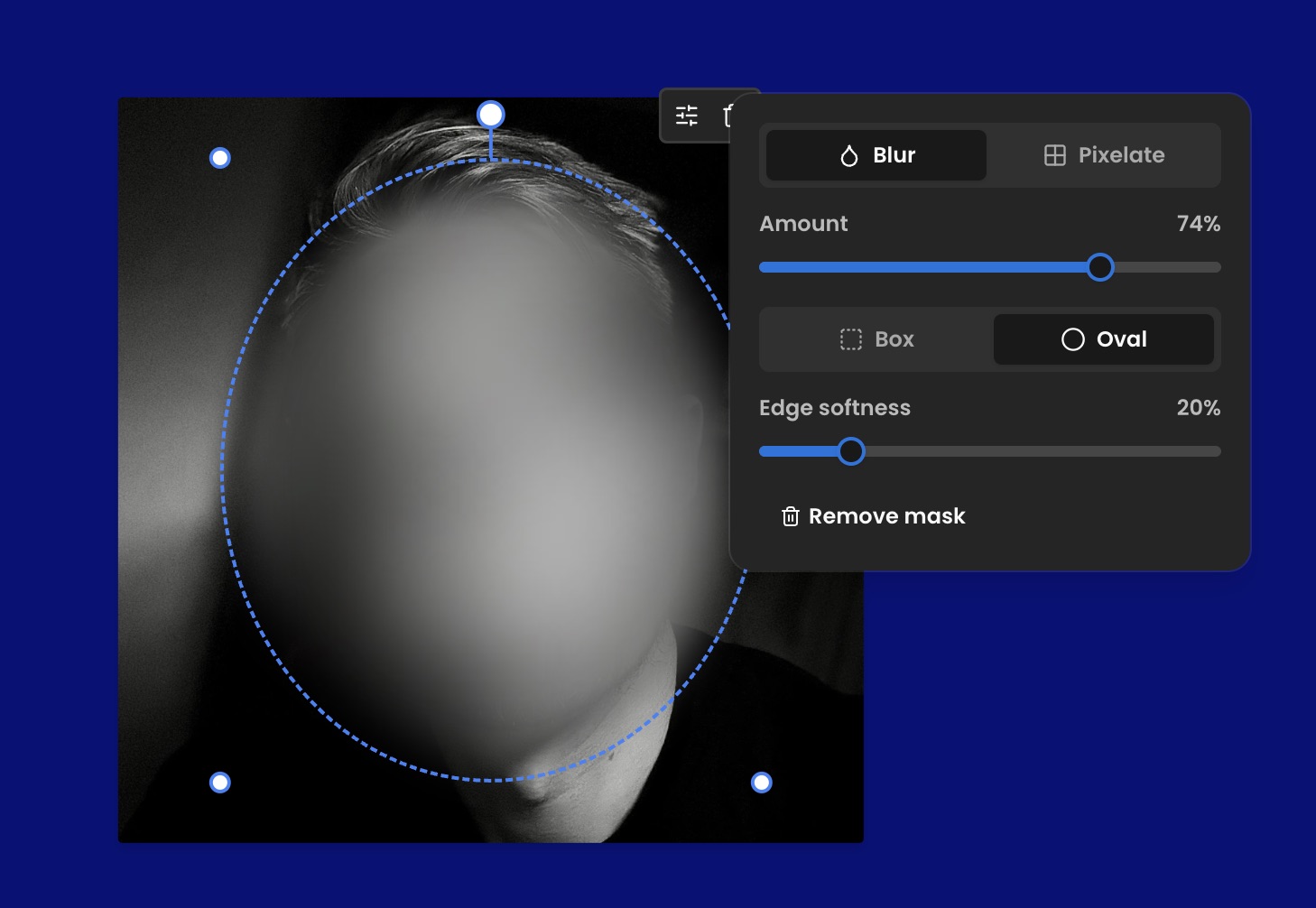
- Pick blur or pixelate, box or oval, then slide the amount until it's hard but still fair.
That's it. Nothing is baked into the file, so you can move the mask, retune it or delete it later without re-uploading anything.
What to blur out
- Faces, for any round where the answer is a person
- Titles on film posters, album covers and book jackets
- Names in a screenshot of a group chat, so only the message is left
- Logos and shirt numbers on a team photo
- Shop signs and street names in a "where is this?" photo
- The score or the date on a screenshot of a result
- The label on a bottle, the badge on a car, the brand on a shoe
Blurred image round ideas
- Who's under there: a group photo with every face blurred but one.
- Name that poster: the artwork with the title pixelated out.
- Who said this: a chat screenshot with the names covered, teams match the message to the person.
- Guess the guest: one baby photo per guest, faces blurred, everyone votes.
- Whose desk is this: an office photo with the name tag blurred.
- Same shot, harder: run one image twice, heavily pixelated for full points, then eased off for half.
Any of these drops straight into a picture round. If you need a format to hang it on, the quiz night ideas guide has 24 more round themes to steal.